Philippine Amateur Radio Emergency Data Network
Delivering Data Through Ham Radio
A nationwide emergency data communications network connecting licensed amateur radio operators across the Philippines and beyond.
What We Do
PAREDN provides resilient digital communications infrastructure for disaster response, emergency coordination, and day-to-day amateur radio operations across the Philippines.
About PAREDN
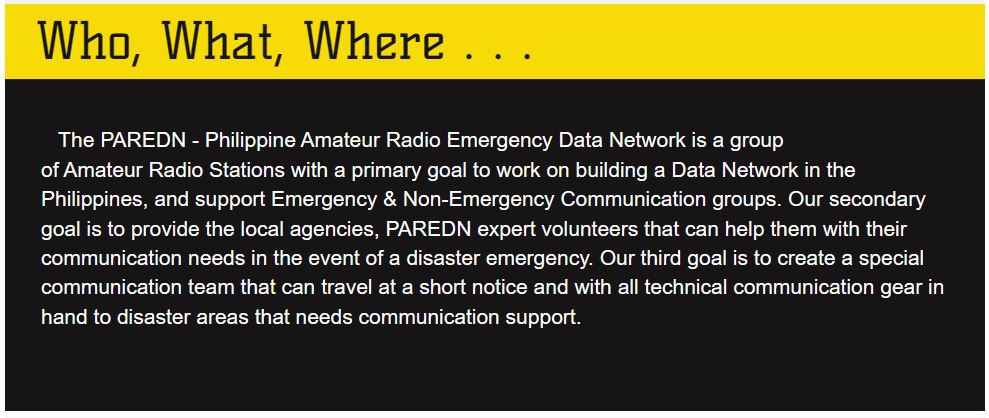
The Philippine Amateur Radio Emergency Data Network — a volunteer group of licensed amateur radio operators building a resilient, nationwide data communications network for emergency and non-emergency use.
Our Mission
PAREDN was founded with a clear purpose: to ensure that when conventional communications fail, amateur radio operators across the Philippines can still deliver critical data to those who need it most.
PAREDN is a volunteer-run group of licensed amateur radio operators united by one conviction: that the Philippines — with its archipelago geography and frequent exposure to typhoons, earthquakes, and volcanic activity — needs a resilient, always-on data communications backbone that does not depend on the internet or commercial cell networks.
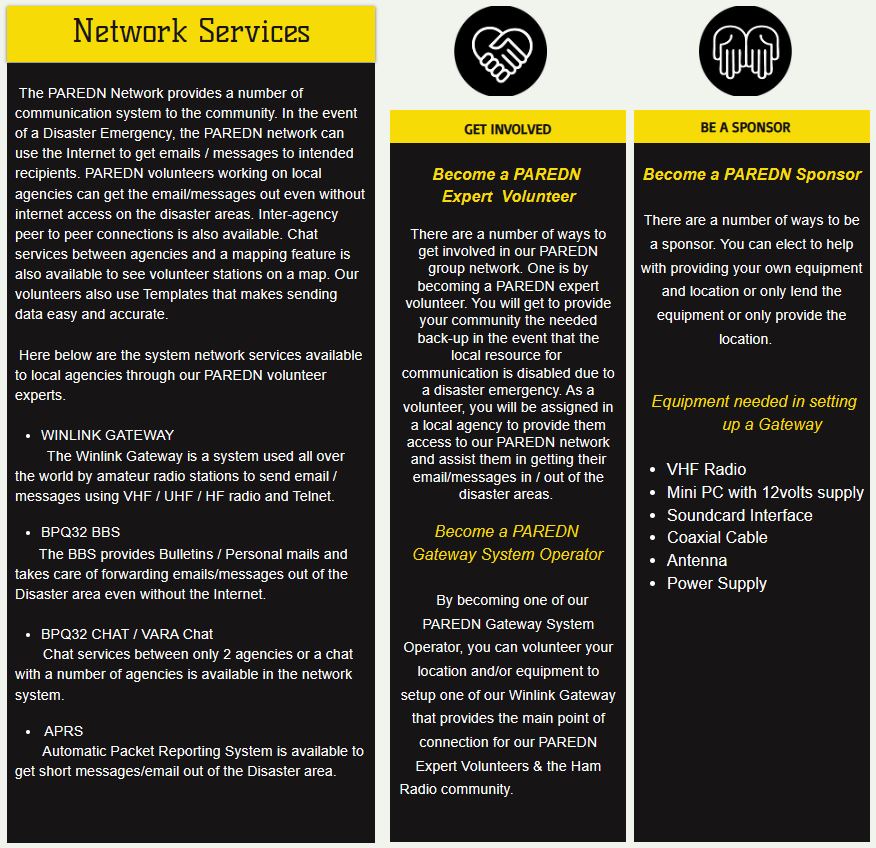
We operate the Philippine Winlink gateway network, maintain a 26-node BPQ32 packet radio network spanning Luzon and working its way to other regions, and run weekly training exercises to keep operators ready for real activations.
The Philippines averages 20 typhoons per year. When a major storm makes landfall, cell towers go down, internet backbones flood, and emergency coordinators lose contact with field teams precisely when communication is most critical.
PAREDN fills that gap. A Winlink message travels via radio frequency — through the storm, over the mountains, across the archipelago — reaching its destination regardless of what happens to the internet infrastructure below.
Network at a Glance
Leadership
PAREDN is entirely volunteer-run by licensed amateur radio operators committed to building emergency communications resilience across the Philippines.
Founding Members
The 31 founding stations whose membership made it possible to secure the DX1PRD club callsign from the NTC — and whose collective effort achieved the official NTC club registration. Without these operators, there would be no PAREDN as we know it today.
Live Network
All active PAREDN Winlink gateways as of May 22, 2026. Find the node nearest you and tune your radio before starting a session.
Note: 448.260 MHz and 442.500 MHz are repeater frequencies used for voice check-ins only — not for Winlink data.
Tools & Software
Everything you need to connect to PAREDN, configured for Philippine frequencies and conditions.
A tactical, browser-based monitoring interface for Net Control Stations (NCS) and Emergency Operations Centers (EOC). Parses Winlink CSV exports to populate live tactical maps, station status tables, and situational metrics — with no internet required.
Desktop\EOC_DATA\Winlink_Messages.csv
Packet Radio Mail
The PAREDN BBS network provides store-and-forward packet messaging across the Philippines and beyond — connecting stations even when the internet is down.
The PAREDN BBS is a store-and-forward packet radio mail system running on BPQ32, accessible on every active PAREDN node using SSID -4. It handles two types of traffic: personal messages addressed to individual callsigns, and bulletins broadcast to categories of users. Messages are automatically forwarded between nodes across the network. All 22 PAREDN Winlink Gateways are connected to the Worldwide BBS Network — enabling packet mail to reach stations anywhere on the globe.
C DX1PRD-4 — connect to DX1PRD BBSC DX1PAR-4 — connect to DX1PAR BBSBBS at any node prompt — then use the commands in the table below to list and read messages.Every Winlink station should have a Home BBS — the node where your incoming personal messages are stored and where other stations know to deliver mail addressed to you. The BBS network uses a White Pages (WP) system to track where each callsign receives mail. When you connect to a BBS, it registers your callsign and updates the White Pages automatically so the network knows your Home BBS.
The BBS network uses a Hierarchical Address (HA) to route messages efficiently across nodes, regions, and countries — similar to how a postal address works. Each BBS has an HA that tells the network exactly where it sits geographically. Messages travel hop-by-hop through the hierarchy until they reach the right BBS.
LUZ — LuzonVIS — VisayasMIN — MindanaoThe PAREDN BBS does not stop at the Philippine border. Messages addressed to stations outside the Philippines — including Europe and the USA — are automatically forwarded through the international BBS forwarding network. This means you can send a packet message from a remote island in the Philippines and have it delivered to a station in Europe or the US, even without internet access at your end.
LList all messagesLMList messages for meR #Read message numberSPSend personal messageSBSend bulletinK #Kill (delete) messageI CALLLook up callsign in White PagesHHelp — list all commandsBBye — disconnect from BBSNew Station Guide
New to Winlink? This guide walks you through everything — from what Winlink is, to sending your first message through a PAREDN gateway. No prior digital radio experience needed.
DW1IRF-10 in Navotas) via VHF or UHF FM on a designated frequency. The gateway relays your message to the global Winlink network. The recipient receives it like a normal email — or via their own radio station.PK04LL. Look up your exact grid at levinecentral.com/ham/grid_square.php. Also enter a Password Recovery Email — a non-Winlink email address (e.g. Gmail) where a lost password can be sent if you ever request one. Click Update. This registers your account, but does not yet validate it.C:\VARAFM1\VARAFM and C:\VARACHAT\C:\VARAFM1\VARAFM as the install path. Check Create Desktop Icon, then click Install and Finish.8300. Set FM System to Narrow if unregistered, or Wide if registered with a 9600-baud interface. Enter your callsign.127.0.0.1, command port 8300, data port 8301. Check "Automatically launch VARA FM TNC when session is opened". Click Update.Note: 448.260 MHz and 442.500 MHz are repeater frequencies — voice check-in only, not for Winlink data.
DW1IRF@winlink.org. Subject: First check-in from [your callsign].145.220 MHz. In Winlink Express, open the VARA FM Winlink session, choose the nearest DX1PRD gateway under Channel Selection, then click Start.Weekly Exercise
Live participation tracker — updated directly from the exercise log. Stations are listed with their task completion status for the current week.
| # | Station | T1 Winlink Check-In |
T2 SMS |
T3 Voice Check-In |
T4 Email Report |
T5 WW KN4LQN |
T6 Check-Out |
Home BBS | PTS | Name | City | Region |
|---|---|---|---|---|---|---|---|---|---|---|---|---|
| Loading exercise data... | ||||||||||||
Weekly Exercises
PAREDN runs a weekly Winlink exercise every week without fail — building operator skill and network readiness for when it matters most. New stations are always welcome.
Latest Updates
Recent posts from the WinlinkPH Facebook Group — for those not on Facebook.
About the Exercise
A weekly exercise keeps operators sharp, validates gateway connectivity, and ensures every PAREDN member knows how to use Winlink before a real emergency. The exercise runs continuously — even during typhoon season and holidays.
How It Works
Complete as many steps as you can each week. All six steps can be done within the Wednesday–Saturday window. New stations: start with Step 1 and work your way through.
DW1IRF via RF or Telnet using the PH Winlink Check-In template. Open it in Winlink Express under Standard Forms › Philippines, or download the updated version below. Fill in your callsign, location, and complete the report, then post to outbox and connect to your nearest gateway.
C:\RMS Express\YOURCALLSIGN\Templates — replacing YOURCALLSIGN with your actual callsign.DW1IRF for the log.KN4LQN@winlink.org
DW1IRF@winlink.org
Winlink Wednesday Check-in
Callsign, Name, Location, Country, Band
DW1IRF, Lot, Navotas City, Philippines, VHFDW1IRF. This closes the exercise loop and confirms your station was active throughout the full window.
Philippine Traffic System
A structured nationwide message relay framework proposed by PAREDN — ensuring reliable, organized, and timely movement of formal messages across the Philippines during emergencies and routine operations.
Overview
The Philippine Traffic System is modeled after the US National Traffic System (NTS) — a tiered hub-and-spoke message relay network that mirrors the Philippines' own administrative divisions. It channels messages from barangay level all the way to national coordination bodies like NDRRMC.
Message Flow
Messages flow upward from barangay level to national, and back down from national authorities to the affected area. Each level has a dedicated Net Control Station.
Message Formatting
Every PTS message follows a strict format so it can be routed automatically by the Winlink BBS system to the correct regional bulletin board.
| Precedence | Code | When to Use |
|---|---|---|
| Emergency | E | Life-and-death urgency or vital relief requests |
| Priority | P | Time-limited official or urgent press messages |
| Welfare | W | Health/safety inquiries about persons in a disaster |
| Routine | R | Standard personal or non-urgent traffic |
bull/[Zipcode]@PTS[RegionCode]
[Precedence], [Brgy], [City], [Province], [Zip]
TO: bull/2000@PTSCEL SUBJECT: W, Brgy San Jose, San Fernando, Pampanga, CEL, 2000 Vilma B. Caluag 15 McArthur Hwy, Brgy. San Jose, San Fernando, Pampanga, 2000 0920-444-0004 MSG: Valenzuela area is dark. We have food and solar lights. Safe. SENDER: Arthur B. Caluag
PTS Templates
PAREDN provides two ready-to-use PTS message templates — one for licensed Winlink stations and one for non-Winlink users. Both include a built-in Philippine barangay database so you can find the correct routing code offline, with no internet required.
C:\RMS Express\[Callsign]\Templates\Philippines\
Live Welfare Message Board
When a ham radio operator sends a PTS Welfare (W) message from a disaster area via Winlink, it is automatically posted to this public board. Families and relief coordinators can check here for messages addressed to them — no radio or app required.
Templates → Philippines → PH Welfare Bulletin Board Message
Region Code Matrix
Use the correct region code in your PTS address. The code determines which regional bulletin board receives your message.
Get Involved
PAREDN is actively recruiting volunteer traffic handlers to serve as Net Control Stations, Regional Hub Operators, and City Net Managers across all regions of the Philippines. No prior NTS experience required — we provide training.
ARDC Funded Project 2026
PAREDN has been awarded an ARDC grant of ₱500,119 for Year 2026 — funding 10 new Winlink gateways and BBS stations across the Philippines to benefit the broader ham radio community.
Live Project Dashboard
Last updated: · Update the numbers in the page source under UPDATE THESE NUMBERS
Host Stations
The 11 stations that have signed or are in process of signing Memoranda of Agreement (MOA) with PAREDN for gateway hosting in 2026.
| Callsign | Name | City | Province | Club | MOA Status |
|---|
Project Implementation Timeline
Project activities from ARDC grant approval through final report. Current month is highlighted.
| Phase / Activity | Month 0 | Month 1 | Month 2 | Month 3 | Month 4 | Month 5 | Month 6 |
|---|
Implementation Workflow
Six phases from legal agreement to community training — with designated leads for each step.
Club Affiliation Program
PAREDN invites your amateur radio club to become part of a growing national emergency communications network. Affiliation is open to any duly organized club that shares our commitment to public service, training, and emergency communications excellence.
About PAREDN
The Philippine Amateur Radio Emergency Data Network (PAREDN) is a national volunteer organization of licensed amateur radio operators dedicated to providing reliable emergency communications support across the Philippines.
Benefits of Affiliation
Affiliated clubs gain access to a comprehensive suite of tools, training programs, and network resources — at no cost.
Communication Modes
PAREDN accommodates clubs at different levels of technical capability. Affiliate at any tier and upgrade as your station develops.
What We Ask
Affiliation is a two-way commitment. In return for full access to PAREDN resources, affiliated clubs are expected to:
Application Process
The affiliation process is straightforward and designed to get your club integrated as quickly as possible.
Frequently Asked Questions
The most common questions we receive in the WinlinkPH Facebook Group — answered clearly. If your question isn't here, post it in the group and the PAREDN team will respond.
Absolutely — the gateways are open to all licensed amateur radio stations. The PAREDN network was built first and foremost as a service to the entire Philippine amateur radio community, not just PAREDN members.
Any licensed ham radio operator with a valid NTC certificate can connect to our gateways, send Winlink messages, and participate in exercises. The only requirement is a valid amateur radio license and a callsign — your callsign is both your legal authority to transmit and your Winlink email address.
Yes! Any legitimate amateur radio station can set up a Winlink gateway. Whether you want it to be part of the PAREDN network or operate independently is entirely your choice.
To run a gateway you need: a licensed amateur radio station, a PC running BPQ32 or LinBPQ, a radio capable of the desired frequency and mode (VARA FM, Packet, or HF), and a stable internet connection for Winlink CMS synchronization.
If you'd like your gateway to join the PAREDN network, reach out to us — we'll help with configuration, frequency coordination, and add you to the gateway list.
We have done this for most of our existing gateways. If your location can benefit the network and the broader amateur radio community, PAREDN can work with you to evaluate and potentially equip the site.
The key factors we look at are: elevation and line-of-sight coverage, distance from existing nodes, availability of power (including solar backup), and the trustee's willingness to maintain the station long-term.
Get in touch via the Facebook group or Winlink email and we'll start an analysis of your location. No commitments required — just reach out.
According to NTC Memo Circular 02-06-2019 Annex 1-E, the following frequency ranges are allocated for digital data, CW, and phone use by amateur radio operators in the Philippines:
Before starting a digital data QSO, always listen first to make sure the frequency is clear — another station may already be using it. PAREDN gateway frequencies (145.220 MHz, 433.280 MHz) sit well within these allocations.
No — and this is exactly the point. When you connect to a PAREDN gateway via radio frequency (RF), your message travels entirely over the air. No internet is required on your end at all.
The gateway itself uses an internet connection to relay your message onward to the global Winlink CMS network — but that's the gateway operator's responsibility, not yours. During a disaster, PAREDN gateways with Starlink backhaul (Antipolo, San Juan Batangas) maintain connectivity even when terrestrial internet is down.
You need a valid NTC (National Telecommunications Commission) Amateur Radio Operator Certificate and an Amateur Station License (ASL). These are two separate documents issued by the NTC.
Philippine NTC licenses come in four classes — Class D is the entry level and is sufficient to operate on VHF/UHF for Winlink. You start with Class D and can upgrade to C, B, and A over time. Even a Class D license allows you to participate fully in PAREDN exercises and use all PAREDN Winlink gateways.
You can get started with a very modest setup. Here is the bare minimum to connect to a PAREDN gateway:
Connection failures are almost always one of these four things — work through them in order:
Get in Touch
Questions about joining PAREDN, club affiliation, or the Winlink gateway network? Reach us through any of the channels below.
DW1IRF@winlink.org — this is also how you send your first check-in message.PAREDN New Capability
PAREDN now has a multi-function APRS bot reachable by any APRS station — no Winlink account, no internet, no special software beyond a normal APRS radio or app. APRS-only volunteers can now participate in weekly exercises, send SMS and email messages, and relay PTS welfare traffic — all over radio.
The PAREDN APRS Bot runs on a Raspberry Pi on the PAREDN network, built as four custom Python plugins on top of the open-source APRSD project. Any licensed amateur radio operator with APRS capability can message the bot at DX1PRD-1 and access PAREDN services — weather lookups, SMS delivery, email, weekly exercise check-in and check-out, and PTS welfare traffic routing — all over radio with no internet or Winlink required at your end.
Use your APRS radio or app to send a directed message to DX1PRD-1. The method varies by device:
Returns current weather for your last known APRS position — temperature, humidity, wind speed/direction, and condition label. Uses Open-Meteo for global coverage.
wx or wx DU3FS29C 77%RH Wind 184@6kph P.CloudySends a real SMS to a Philippine mobile number via the Semaphore API. Restricted to authorized PAREDN volunteer callsigns (Winlink Wednesday roster) with a 5 SMS/day limit per callsign.
sms 09171234567 Your message hereSubmits the weekly exercise Task 1 Check-In without Winlink Express. The bot builds a properly formatted check-in email and sends it to DW1IRF — credited exactly like a normal Winlink check-in in the exercise tracker.
chkSubmits the weekly exercise Task 6 Check-Out via APRS. Same mechanism as chk: the bot forwards a properly formatted Check-Out to DW1IRF for the exercise tracker. Deadline: Saturday 5:00 PM PST.
outFirst part of a two-part PTS traffic message. Send the recipient name, location, barangay, city and zip code as the preamble. The bot holds Part 1 for up to 30 minutes waiting for Part 2 from the same callsign.
PTS1/2 W DAANGHARI NAVOTAS CITY 1425Second and final part of the PTS message. Combined with Part 1 and sent automatically to DW1IRF@winlink.org and PTSCENTRAL@winlink.org. Include a PTS code (e.g. PTS 20) anywhere in the body — the bot expands it to its full meaning.
PTS2/2 JOSE RODRIGUEZ 57 F. PASCUAL ST PTS 20 SANDY MANLAPAZReturns the bot's current local time. Useful for confirming the bot is alive and reachable.
t or timeReturns the APRSD bot version information.
v or versionSends a short email to any address directly from your APRS radio — similar in spirit to the official Winlink APRSLink (WLNK-1) feature, but run by PAREDN's own bot. Rate-limited to 5 emails/day per callsign since it sends to arbitrary addresses.
EMAIL someone@example.com Your message hereLists all available commands directly from your radio — a live, self-updating reference you can query anytime. Use help chk for details on a specific command.
help or help chkPTS 1All family members safe and well.PTS 2Safe and well, but residence sustained structural damage.PTS 3Request welfare check / status update on individual/family.PTS 4Individual located and receiving medical treatment at facility.PTS 5Evacuated safely to official shelter. Will update when grid returns.PTS 6Unable to locate person/family at registered address.PTS 7Mandatory / Forced evacuation ordered by local DRRMO.PTS 8Primary voice repeater down. Shift to secondary simplex/VARA.PTS 9Net Control Station (NCS) responsibility transferred.PTS 10Weather advisory / High alert issued for region.PTS 11All stations stand by for priority emergency traffic. Clear frequency.PTS 12Request signal report / Gateway connection status test.PTS 13Evacuation Center at capacity. Divert new evacuees.PTS 14Relief food packs urgently needed.PTS 15Potable drinking water urgently required.PTS 16Medical supplies / First aid kits / Medicines required.PTS 17Generator fuel (Diesel/Gasoline) urgently required.PTS 18Request heavy equipment / Clearing operations team.PTS 19Request watercraft / Rubber boats for water rescue/transport.PTS 20Immediate Search and Rescue (SAR) required. Floodwaters rising.PTS 21Landslide / Debris blockage. Road completely impassable.PTS 22Medical emergency / Casualty reported. Immediate triage required.PTS 23Critical infrastructure failure (Bridge collapse / Dam overflow risk).PTS 24Power grid / Substation completely down in area.PTS 25Commercial cellular/internet networks down. Operating on RF only.PTS 26Fire incident reported in disaster zone. Assistance needed.PTS 50Happy Birthday! Wishing you a wonderful celebration.PTS 51Congratulations! Well done on your achievement.PTS 52Holiday greetings and best wishes to you and your family.PTS 53Please contact me / call me at your earliest convenience.PTS 54Message received and acknowledged. Thank you.PTS 55Safe travels. Have a pleasant and safe journey.| Command | Function | Access | Position Required |
|---|---|---|---|
| wx | Weather at APRS position | Open to all | Yes (recent beacon on aprs.fi) |
| sms NUMBER MSG | Send SMS to PH mobile | Authorized only | No |
| chk | Exercise Check-In (Task 1) | Open to all | No |
| out | Exercise Check-Out (Task 6) | Open to all | No |
| PTS1/2 <preamble> | PTS message Part 1 of 2 | Open to all | No |
| PTS2/2 <body> | PTS message Part 2 — sends to DW1IRF & PTSCENTRAL | Open to all | No |
| t / time | Bot's local time | Open to all | No |
| v / version | Bot version info | Open to all | No |
| EMAIL addr msg | Send email to any address | Open to all | No |
| help / help <cmd> | List all commands | Open to all | No |
asia.aprs2.net. SMS delivery via Semaphore API — same as the PAREDN winlink2sms.py gateway. All four commands have been live-tested by PAREDN volunteers, including exercise check-ins confirmed in the tracker roster.
RESTRICTED — SYSOP ACCESS ONLY
The PAREDN EOC Winlink Dashboard is a tactical, browser-based monitoring interface for Net Control Stations (NCS) and Emergency Operations Centers (EOC). It runs entirely client-side — fully operational with no WAN internet. Parses standardized Winlink CSV exports to populate live tactical maps, situational metrics, and radio asset logs.
Click 📂 Open Check-In CSV and 📂 Open Check-Out CSV to load your Winlink exports. Recommended paths: Desktop\EOC_DATA\Winlink_Messages.csv (check-in) and Winlink_Messages_out.csv (check-out).
Enable Auto-reload and choose an interval: 30s (active nets), 60s (default), 2 min or 5 min (prolonged monitoring). Click 🔄 Reload Now to force an instant refresh.
Live counters for Check-Ins / Check-Outs, APRS status (🟢 Normal 🟡 Standby 🔴 Emergency), Flood Status (Yes/No), Station Status (Operational/Standby/Limited), and dynamic Band & Session distribution graphs.
Filter by Date range, Region, City, Barangay, Callsign, APRS Code, Flood Status, or Check-Out state. Click Reset Filters to restore full view. Use A+ / A− to adjust font size for field visibility conditions.
Leaflet.js map works offline with cached tiles. Click a table row to pan to that station; click a map marker to highlight the matching row. Use ⤢ Pop Out Map for multi-monitor EOC setups. DRRMC NATIONAL alerts display a red border around matching records.
Click Export CSV to save cleaned data with line breaks stripped, formatting converted to pipe separators (|), and UTF-8 BOM applied — compatible with Microsoft Excel and DRRMC reporting systems.